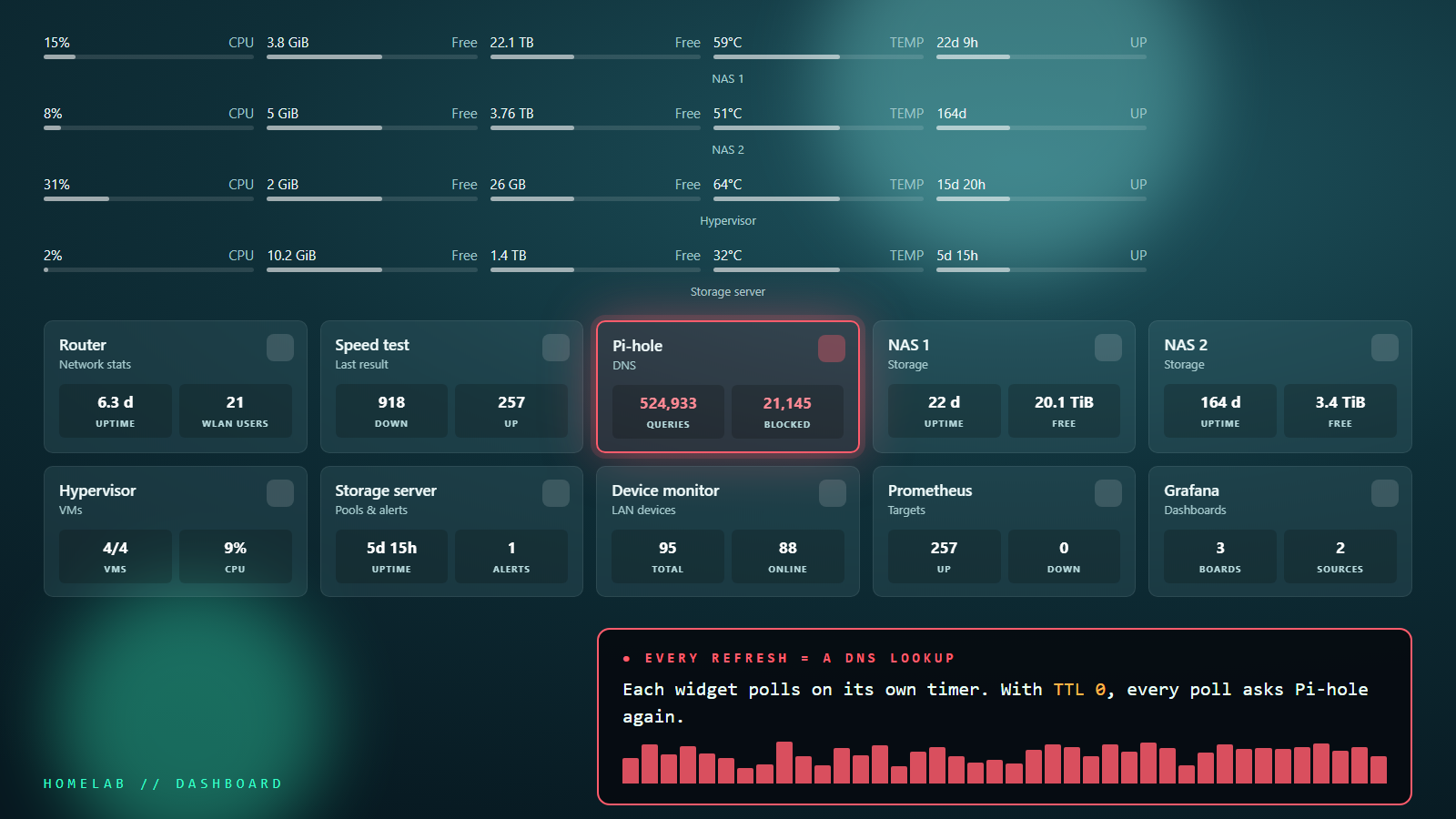
Pi-hole kept logging the same warning: one client had been rate-limited, more than 1,000 queries in 60 seconds. Its query count was over 131,000, and almost every query was for the same name: the hostname of my own dashboard, asked 15 to 20 times a second. While a client is rate-limited, Pi-hole stops answering it, so whatever sat behind that address lost DNS for half a minute at a time.
The client that wasn’t a device
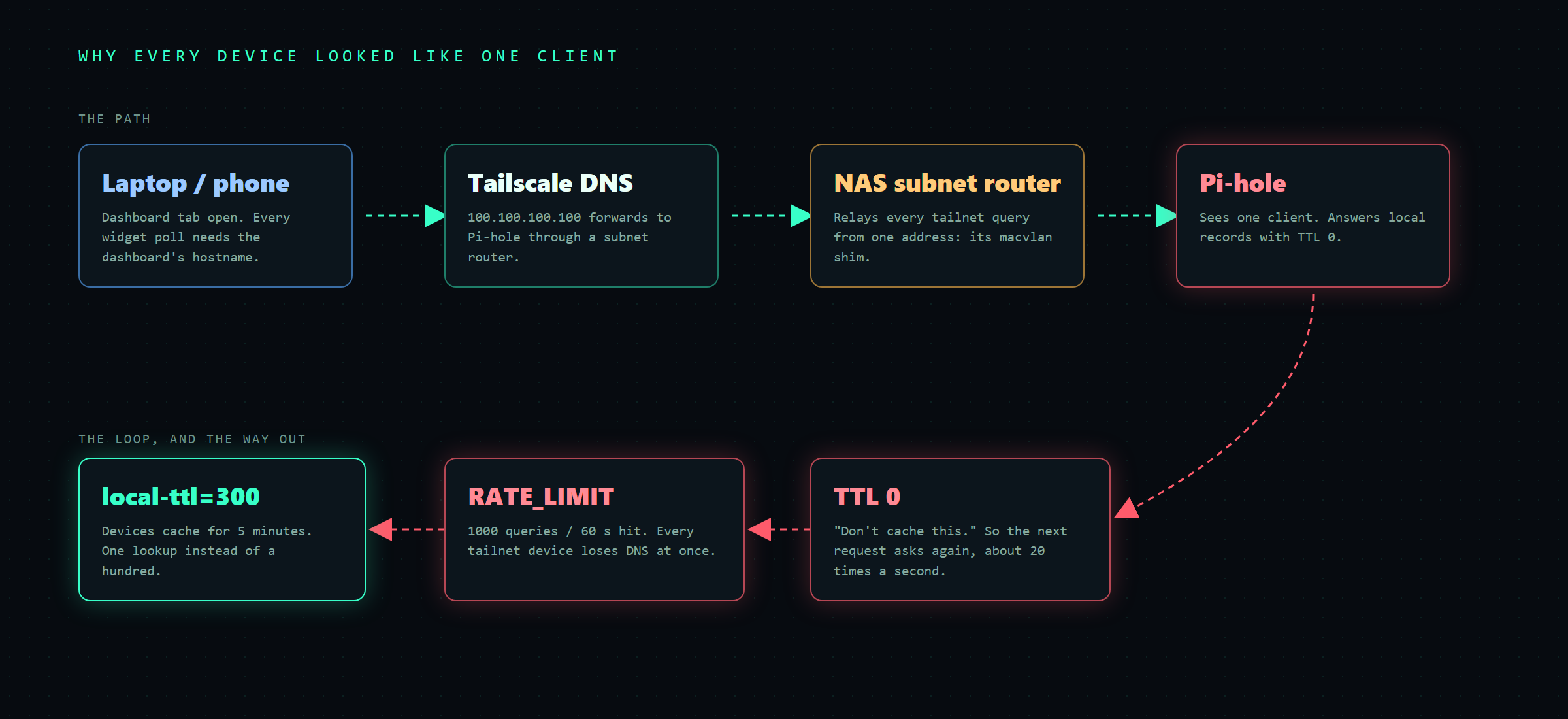
The address didn’t belong to a machine. It was the macvlan shim on my main NAS: a small host interface that lets the NAS talk to its own Docker containers, which sit on their own LAN addresses. A boot script adds a route for the container range with the shim as the source address. Pi-hole is one of those containers, so everything the NAS sends to Pi-hole leaves from the shim.
Then the query log showed lookups for iCloud Private Relay, Firefox telemetry and app analytics, which a NAS doesn’t make. They were coming from laptops and phones. Those devices use Tailscale’s DNS, which forwards to Pi-hole through the NAS acting as a subnet router. The NAS relays every tailnet query from that one shim address. So Pi-hole wasn’t seeing one noisy box. It was seeing my whole tailnet as a single client, and rate-limiting all of it at once.
Chasing the wrong suspect
The obvious suspect was the dashboard itself, Homepage, polling its own address. I searched its config for the hostname and found nothing. Pinning the name inside the container with extra_hosts changed nothing either. A packet capture on the NAS settled it: the lookups came in a steady trickle with a burst every time I refreshed the page, and I was refreshing from my workstation. The workstation’s DNS was Tailscale’s resolver. My own browser was in the flood.
The real cause: TTL 0
One lookup from the workstation explained it:
Resolve-DnsName dashboard.example.lan -Server <pihole-ip>

Name                  IPAddress      TTL
----                  ---------      ---
dashboard.example.lan 192.168.1.50     0
Pi-hole v6 serves records from its Local DNS list (dns.hosts) with a time-to-live of 0. TTL 0 tells every client not to remember the answer. A browser tab with a dashboard open makes requests all the time: widget polls, API calls and icons. With TTL 0, each one starts with a fresh DNS lookup. Add a few devices and a couple of open tabs, funnel them through one subnet router, and 1,000 queries a minute is gone fast.
The fix: one line
Give local records a real TTL. In v6 there is no field for this in Local DNS, and the web UI refuses to save it (“This config option can only be set in pihole.toml, through an environment variable or using pihole-FTL –config”). It’s a dnsmasq line, local-ttl. Pick one of these three ways:
Docker / Portainer stack (what I use, so it survives redeploys):
services:
  pihole:
    image: pihole/pihole:latest
    environment:
      - FTLCONF_misc_dnsmasq_lines=local-ttl=300
Command line, inside the Pi-hole host or container:
pihole-FTL --config misc.dnsmasq_lines '[ "local-ttl=300" ]'pihole.toml, under [misc]:
[misc]
  dnsmasq_lines = [ "local-ttl=300" ]
300 seconds means a renamed or moved service takes up to five minutes to reach clients that already asked. For a homelab that’s a fair trade. Go lower if you move things around often.
Before and after
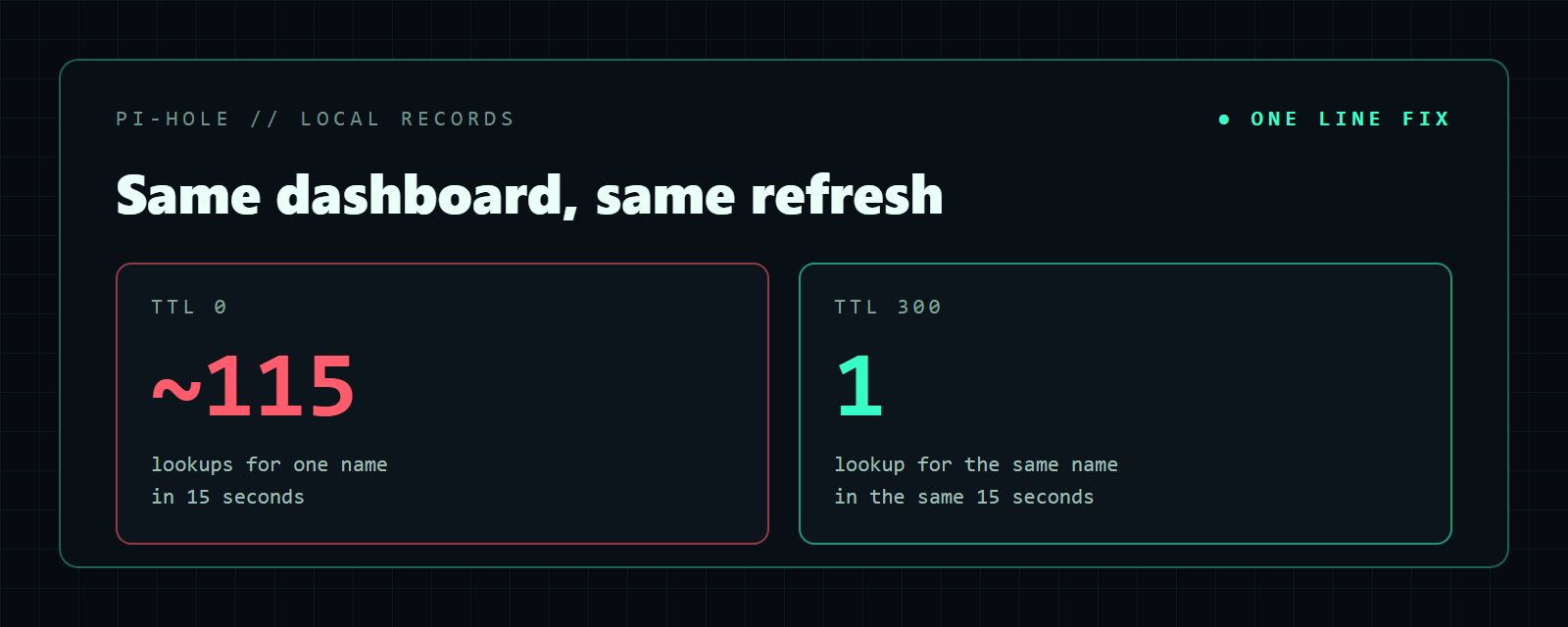
The same check, the same name, the same page refreshes, counted on the NAS for 15 seconds:
sudo timeout 15 tcpdump -ni any 'udp port 53 and host <pihole-ip>' | grep -c <hostname>Before: 117 to 462 matching lines, roughly 30 to 115 lookups. After: 4 lines, which is one lookup. The rate limit stays at its default of 1,000 a minute, and nothing comes near it.
If you see the same warning
- Look up the rate-limited address before you blame it. A router, subnet router, VPN gateway or macvlan shim can stand in for dozens of devices.
- Read the domains, not the counts. Phone and browser telemetry from a “server” address means you’re looking at a relay.
- Check the TTL of your local names. If it’s 0, every client re-asks on every request.
- Don’t switch the rate limit off. I did that the first time as a stopgap. It hid the problem and let it come back.
Honest status
- Pi-hole still sees the tailnet as one client. Turning off source NAT on the subnet router would show each device, but it needs a return route on the main router. It’s on the list, not done.
- The
local-ttlline covers Pi-hole’s local records. Upstream answers keep whatever TTL the internet gives them.
One default, one line, and a week of “why does DNS keep dropping” explained.