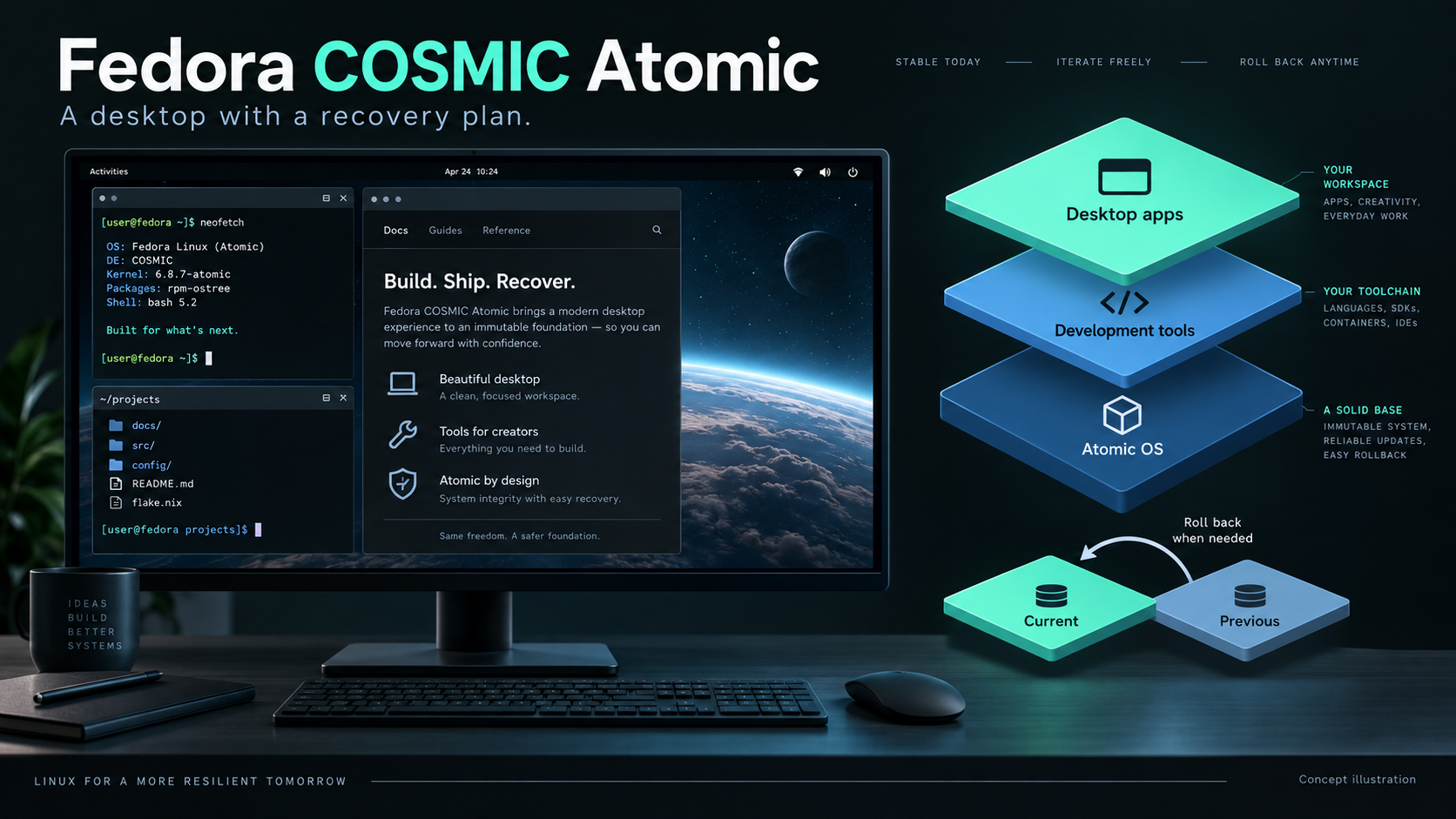
Practical guide · Proposed workstation setup
A desktop used to manage infrastructure should be easy to understand when something changes. If a laptop is the route into servers, documentation and support calls, recovering its working environment matters as much as installing the latest software.
Fedora COSMIC Atomic is an interesting candidate for that job. This article explains the design, walks through a small administration-workstation example, and sets out the tests I would use before trusting it as a daily machine. It is a worked proposal, not a report of a deployment I have already completed.
Two decisions: the desktop and the operating system
Fedora and System76 are separate organisations with different roles here. Fedora COSMIC Atomic is a Fedora operating system, using the COSMIC desktop developed by System76. COSMIC supplies the desktop interface—windows, panels, workspaces and desktop settings—while Fedora provides the operating-system foundation, packages and atomic update model. References to System76 in this article credit the desktop’s developers; they do not mean these machines are running System76’s Pop!_OS. Choosing the desktop and choosing the operating system are two separate decisions. Fedora also offers a conventional COSMIC Spin, so choosing COSMIC does not automatically mean choosing an atomic system. Start from the official COSMIC Atomic page when selecting the installation image.
COSMIC offers configurable panels, window tiling, keyboard shortcuts and workspaces. It is a Wayland-native environment written in Rust. Those are useful design characteristics, not proof that every application, dock or graphics card will work correctly. System76 describes the desktop’s features here.
For my example, I would organise three workspaces: communication and tickets; terminals and automation; documentation and monitoring. Tiling is attractive when comparing a runbook with command output. A floating window remains useful for a call or a screen-sharing tool. The point is to reduce window management during work, rather than build an impressive-looking desktop.
What atomic actually changes
With rpm-ostree, an operating-system update prepares a new deployment. A reboot selects that prepared system; the previous deployment provides a recovery option. Package layering can add host RPMs and normally also takes effect after reboot. The running system is not replaced package by package during that staged operation.
The distinction is narrower than “nothing can change.” The system’s /usr is read-only in normal operation, while configuration and variable data remain writable. An OS rollback is not a backup of your documents or a reset of every application. See the rpm-ostree administration handbook.
My reason for considering this model is operational: I want fewer unrelated experiments attached to the host and a recognisable point to return to after an OS regression. It does not remove the need to diagnose a failure. A broken browser profile can remain broken after changing the operating-system deployment.
Give each type of software a home
| Layer | Example | Reason for placing it here |
|---|---|---|
| Atomic host | COSMIC, kernel, essential hardware integration | Keep the machine’s foundation small and deliberate. |
| Flatpak applications | Document viewer, image editor, communication tools where suitable | Manage desktop applications separately from OS deployments. |
| Toolbx environment | Git, Python, Ansible and project dependencies | Keep administration tooling out of the base installation. |
| Personal data and backups | Runbooks, repositories, credentials and project files | Protect independently of the OS recovery mechanism. |
Fedora presents Flatpak and Toolbx as central parts of the COSMIC Atomic workflow. I would make exceptions when a tool needs genuine host integration, but record each exception. Installing every familiar RPM onto the host would undermine the maintenance approach I am trying to adopt.
A worked example: an infrastructure administration laptop
Assume a spare laptop or test VM with a fresh Fedora COSMIC Atomic installation. Its jobs are editing runbooks, managing an inventory and validating automation. These commands are an example to review and run on that test machine; no benchmark or successful hardware test is implied.
1. Establish a baseline
Before adding software, record the installed release, booted deployment and existing applications:
cat /etc/os-release
rpm-ostree status
flatpak remotes
flatpak list --app
toolbox list
Save the output with the test notes. Also record the laptop model, graphics hardware, dock, external screens and network adapter. “It worked before the update” becomes much more useful when the earlier environment is identifiable.
2. Add a desktop application separately
For a concrete example, install GIMP for preparing screenshots and diagrams. Check the configured remotes first. The following explicitly adds Flathub if absent; that is a repository choice, not a requirement of atomic Linux.
flatpak remote-add --if-not-exists flathub https://dl.flathub.org/repo/flathub.flatpakrepo
flatpak install flathub org.gimp.GIMP
flatpak run org.gimp.GIMP
Review the installation prompt, publisher and requested access before accepting. Use flatpak update to update applications and runtimes separately. The Flatpak command guide documents these operations. For a support laptop, I would then test opening a file, exporting it and attaching it to a ticket: the complete task matters more than a successful launch.
3. Create an administration toolbox
Toolbx supplies an interactive container environment integrated with the desktop. Create and enter the default environment:
toolbox create
toolbox enter
Inside that Fedora container, install the example utilities:
sudo dnf install git python3 ansible-core
mkdir -p ~/Projects/atomic-admin-demo
cd ~/Projects/atomic-admin-demo
ansible --version
python3 --version
The dnf command above belongs inside Toolbx, not on the atomic host. Toolbx deliberately exposes the home directory and other host facilities. It is a convenient tool environment, not a security boundary for untrusted code. Deleting a container is not a way to undo changes it made to shared files. See Toolbx’s integration model and getting-started commands.
4. Validate a harmless local automation task
Create check.yml in that project directory:
---
- name: Check the example environment
  hosts: localhost
  connection: local
  gather_facts: false
  tasks:
    - name: Report the Python version
      ansible.builtin.command: python3 --version
      register: python_version
      changed_when: false

    - name: Display the result
      ansible.builtin.debug:
        var: python_version.stdout
Then run:
ansible-playbook -i localhost, check.ymlThis checks the container’s Python, not the host or a remote server. The trailing comma defines a one-host inline inventory. The expected result is a version string and no changed tasks; actual output depends on the installed packages. Once that small loop is understood, a real inventory and reviewed playbooks can replace the example.
I would keep a short setup document alongside the playbook: container release, packages installed, commands used and external dependencies. A container with an undocumented installation history is still an undocumented installation.
Rehearse an update and recovery
Leave Toolbx with exit. On the host, inspect and stage the OS update:
rpm-ostree status
rpm-ostree upgrade
rpm-ostree status
Save work, reboot, and repeat the practical checks below. If the new OS deployment introduces a regression, rpm-ostree rollback selects the previous deployment for the next reboot. If the graphical session cannot start, the previous deployment can instead be selected from the boot menu. Deployment and rollback reference.
Consider a hypothetical dock regression after an update. First establish whether the old deployment restores the display. If it does, record both deployment versions and the reproduction steps. If it does not, investigate the dock, cabling, configuration and application state instead of repeatedly rolling back. Recovery is useful evidence, not a diagnosis by itself.
What I would test before switching daily work
- Display and docking: connect and disconnect every monitor; test scaling, suspend and resume, and lid-closed behaviour.
- Communication: make a real test call, select the intended microphone and camera, and share both a window and the full screen.
- Access: verify the required VPN, SSH workflow and organisation-specific authentication.
- Applications: open existing documents, print where needed, and check file pickers and removable storage.
- Recovery: rehearse returning to the previous deployment and confirm that backed-up files can actually be restored.
I would record pass/fail results and the time spent resolving failures. There are no measured improvements to plot yet. A useful follow-up would compare setup effort, update interruptions and recovery time on this laptop against its previous installation.
Where I would choose something else
A conventional Fedora desktop may be the simpler choice when a workflow depends on frequent host-level package changes or vendor installers that assume a traditional writable system. A different desktop may be preferable when a required accessibility feature or device workflow is better supported there. Those are practical reasons to choose differently, not failures of the atomic idea.
For an infrastructure workstation, the attraction is a cleaner maintenance boundary: desktop apps, project tooling and the operating system each have an intentional place. Fedora COSMIC Atomic is worth evaluating when that separation fits the job. I would adopt it after the daily tasks and recovery drill pass—not merely because the desktop looks good.
Research checked 27 September 2026. Commands target an rpm-ostree-based Fedora COSMIC Atomic installation. Confirm the installed release and current project documentation before applying them.