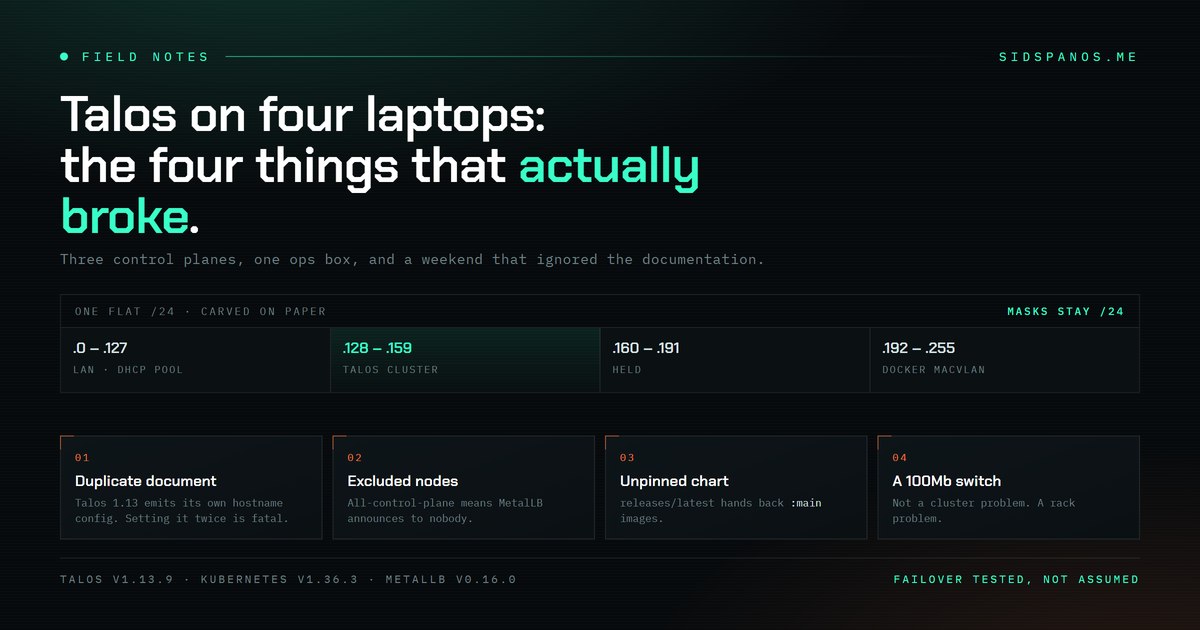
Four Dell Latitude 3440s. Three of them run Kubernetes. The build took a weekend, and almost none of that weekend went the way the documentation implied it would. This is what actually broke, in the order it broke, because the working parts are already well covered elsewhere.
Laptops as cluster nodes
Each machine is an i3-1315U, 6 cores and 8 threads, 16GB of RAM and a 256GB NVMe. All four are on wired ethernet with wifi disabled. The obvious appeal is cost. The less obvious appeal is that every node arrives with a battery already attached, which is a UPS you did not have to buy or rack.
Three of them are hypervisors. The fourth is an ops box and is deliberately not a cluster member — when the cluster is the thing that is broken, you want somewhere to stand that is not the cluster.
Bare metal lost to firmware
Talos is designed to run directly on the hardware, and that was the plan. These Dells had other ideas, and the firmware fight was not worth having. Zorin OS 17 boots on them without complaint, so each laptop became a KVM host and Talos runs as a QEMU guest.
Each VM gets 10GB of RAM, 6 vCPU and a 60GB qcow2 disk. That is a compromise: 12GB was the original figure, trimmed so the host desktop stays usable. It goes back up when the hosts go headless. Worth naming the trade rather than pretending the number was chosen on merit.
Addressing, which is the part people skip
The home network is a single /24, carved up on paper:
.0   - .127   LAN and UniFi DHCP pool
.128 - .159   Talos cluster
.160 - .191   held for expansion
.192 - .255   Docker macvlan on the NAS
The DHCP pool is deliberately stopped at .127 so the static ranges above it stay untouched.
The trap: this is one flat broadcast domain. Those ranges are bookkeeping, not subnets. The Talos block is 32 addresses, which invites you to write a /27 mask into the node config — and then the nodes cannot reach the gateway. Every host takes a /24 mask. Every one.
Break one: the duplicate hostname
Talos 1.13 emits hostname configuration as its own separate document. Set machine.network.hostname in the v1alpha1 config as well, the way most guides still show, and the whole config is rejected as a duplicate.
The error is clear once you read it. Getting there means accepting that the guide you are following was written for a version you are not running.
Break two: MetalLB announcing nothing
This was the expensive one. All three nodes are control planes with allowSchedulingOnControlPlanes set, because on three machines you do not get to be precious about dedicated roles.
Kubernetes automatically applies node.kubernetes.io/exclude-from-external-load-balancers to control-plane nodes. MetalLB respects that label. On an all-control-plane cluster that means every node is excluded, and MetalLB refuses to announce with no available nodes.
What makes it costly is that nothing looks broken. Every pod is running. Every component reports healthy. The service simply never receives an address, and you go looking for a fault that does not exist. The fix is removing the label from every node.
Break three: an unpinned chart
MetalLB’s releases/latest hands back a Helm chart tag whose manifest references :main images. You end up deploying whatever happened to be on the development branch at the moment you ran the command, which is a fine way to make a cluster that worked yesterday stop working today for reasons that are not in your git history.
Pin an explicit version. This applies well beyond MetalLB.
Break four: the switch
Everything worked, and everything felt slow.
The switch was an HP 1810-8 v2 — seven 100Mb ports and exactly one gigabit port. Every node was negotiating 100Mb and had been the whole time. Swapped it, and all four came up at 1000.
I spent real time inspecting a cluster for a problem that was sitting in the rack. The lesson is not subtle: check the physical layer before you profile the distributed system running on top of it.
Storage stays off the cluster
Persistent storage is NFS, exported from the ops box and provisioned through nfs-subdir-external-provisioner as the default StorageClass, with archiveOnDelete enabled. ReadWriteMany verified across nodes rather than assumed.
Keeping storage off-cluster is the point. The Talos nodes are disposable — that is most of why Talos is interesting. The data is not disposable, so it does not live on them.
Verify failover by pulling the plug
The Kubernetes API VIP floats between control planes. That was tested by shutting nodes down and watching it move, rather than by reading that it should.
A high-availability claim you have not tested is a rumour.
One local hazard
On these hosts, systemctl restart systemd-logind kills the desktop session outright. Learned the direct way.
What watches it now
A small status daemon runs on the ops box — Python standard library only, started from a user crontab at boot. It pings each host once a second and draws the result as a trace: one spike per reply, log scale, and gaps where packets went missing. Styled like a patient monitor, which is a joke that stopped being a joke the first time a node flatlined on screen.
The stack as it stands: Talos v1.13.9, Kubernetes v1.36.3, flannel for CNI, MetalLB v0.16.0 in L2 mode.
None of the four failures above were Kubernetes being difficult. One was a version assumption, one was a default nobody documents loudly enough, one was an unpinned dependency, and one was a switch older than the problem it caused.